

Memberships are designed for subscriptions which don’t involve a dedicated resource rental — for example, a hot desk membership, a flex membership with 10 days per month, a membership with credits, or a virtual office membership. Rental plans for a dedicated resource, such as a dedicated desk or a private office, are set up inside that resource instead.
- Present your offers and their prices to customers
- Let customers sign up instantly or submit requests
- Quickly set up new customers for subscriptions, using memberships as templates.
Set up memberships
- Go to Catalog > Memberships.
- Click Create membership.
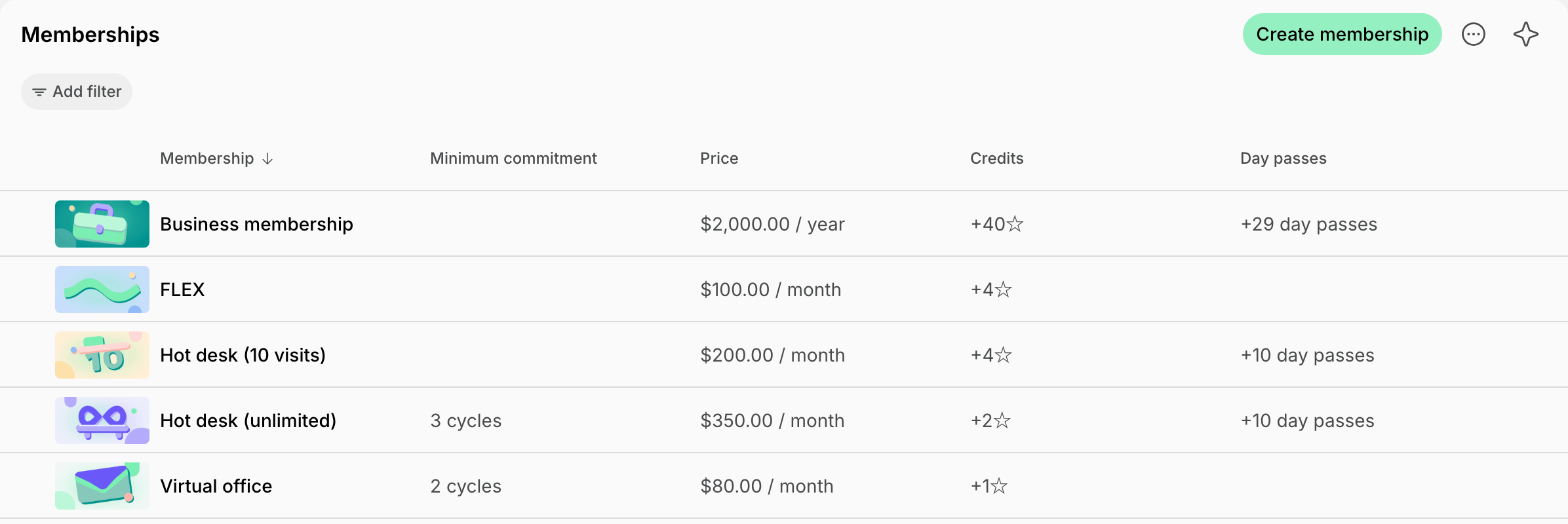
- Fill in the membership configuration.
- Under Plans, click Add plan, fill in the plan configuration, and click Save.
- Add a plan for each billing option you offer, such as Monthly and Yearly.
- Click Create.
Membership configuration
- Cover photo — one cover image for this membership: 1600 × 800 px (2:1 ratio), up to 5 MB, in JPEG, PNG, WebP, or GIF.
- Name — appears on customer invoices before the plan’s name, such as Flex membership · Monthly. When a plan has the same name as its membership, the name appears once.
- Description — customer-facing details of what is included.
- Access — access control group. Appears if you have the integration with the access control system.
- Printing — printing access group.
- Exclusive access — customers with this membership have exclusive access to the resources selected in the Exclusive resources field and the benefits selected in the Exclusive benefits field.
Plan configuration
- Name — such as Monthly.
- Cycle — the interval of membership validity and how often the subscription renews. Available options: 1 week, 1 month, 3 months, 6 months, or 1 year. You can’t change it after the plan is saved.
- Description — customer-facing details of what this plan adds or differs in. It appears on the membership’s page below the membership’s description when a customer selects the plan.
- Price — the fee for 1 cycle.
- Setup fee — one-time charge to add to the customer’s first invoice.
The setup fee is taxable but is not affected by discounts or invoice proration.
- Custom tax rate — overrides the location’s default tax rate for this plan.
- Minimum commitment — the mandatory minimum number of cycles a customer can subscribe for.
- Credits — expiring credits the customer will receive each cycle for bookings or purchases.
- Day passes - expiring day passes the customer will receive each cycle for booking resources.
- Discounts > Granted coupons — grant members reduced rates for bookings and other services as part of their plan.
- Offered with plan — other membership plans customers can buy together with this plan when they sign up immediately.
- Sign-up — control whether and how customers can see and sign up for this plan.
- Sign-up > Contract — for the Immediate type, select a template to have customers sign a contract before their subscription starts. It needs eSignature turned on for the location.
Sign-up setting
What’s next
After creating your memberships:- Customers can explore available memberships and sign up or submit requests, depending on your settings
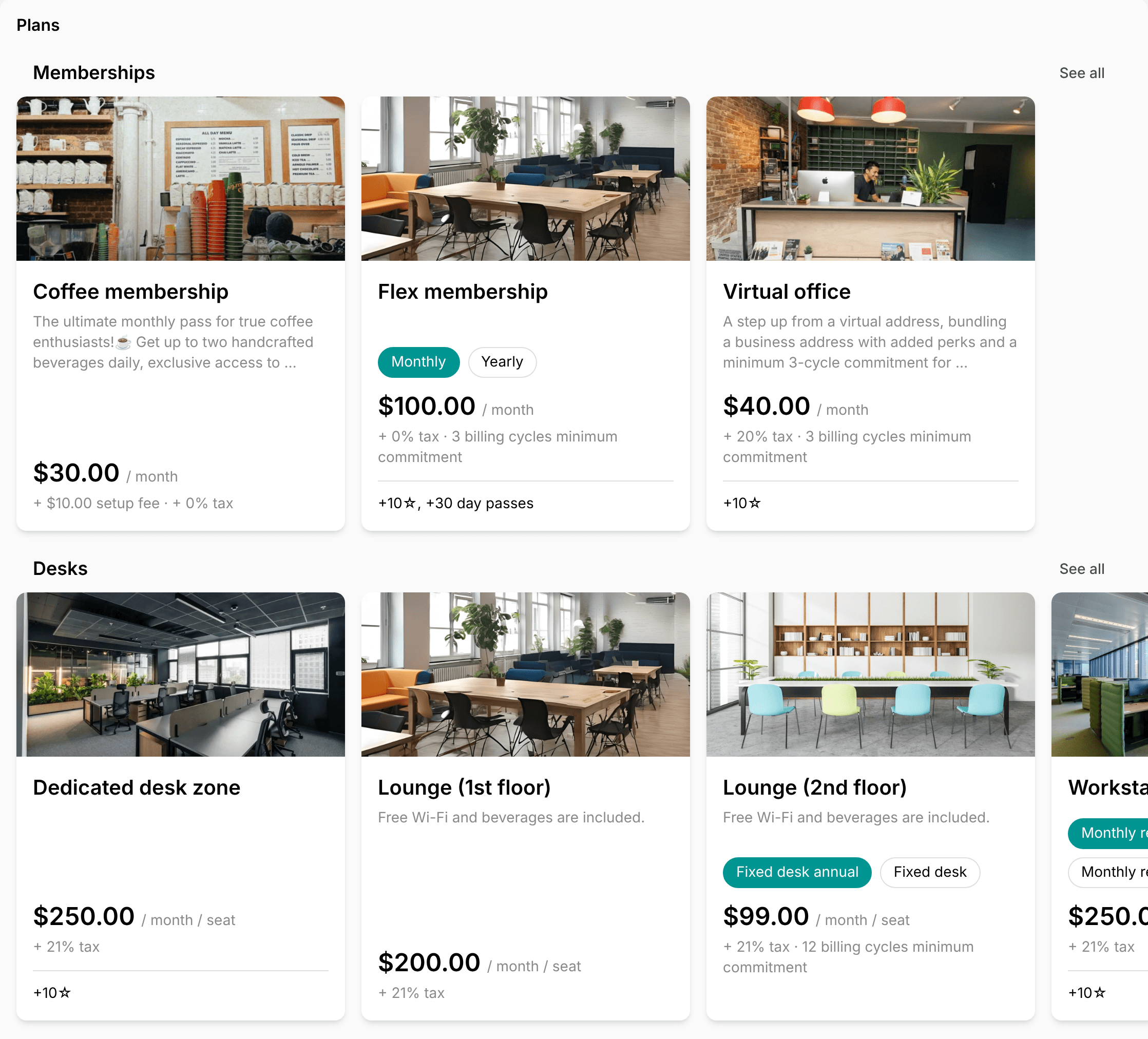
- Administrators can quickly set up new members for subscriptions, using memberships as ready-made templates with predefined pricing, benefits, and access.
Edit or delete a membership
- Go to Catalog > Memberships.
- Press the menu button (…) next to the membership and tap Edit or Delete.
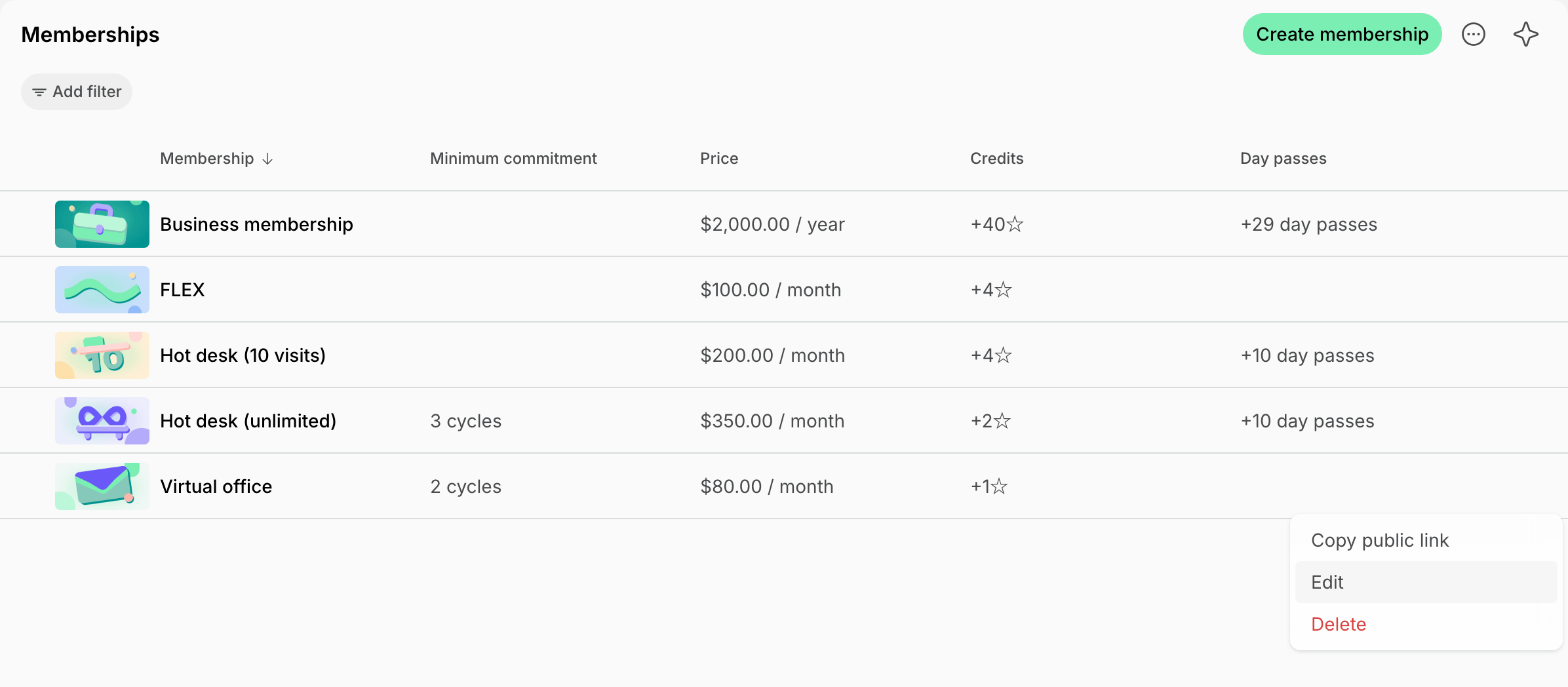
- To change a plan, click it under Plans. To remove one, press (…) next to it > Remove.
- Click Save.
Deleting a membership or removing a plan does not affect active subscriptions. If your members still have the plan selected in their subscription, it will continue to function for them.
Filter memberships
On the Memberships page, click Add filter > Sign-up and pick how customers can sign up. A membership shows when any of its plans matches:- Immediate — plans customers can sign up for on their own.
- Request — plans customers can request a subscription for.
- Off — plans customers don’t see.
Export a memberships report
On the Memberships page, apply the necessary filters, then click (…) in the top right corner > Export memberships > CSV or XLSX to download a report on the filtered memberships. To export only some memberships, select their checkboxes, then press Actions > Export > CSV or XLSX at the bottom of the page.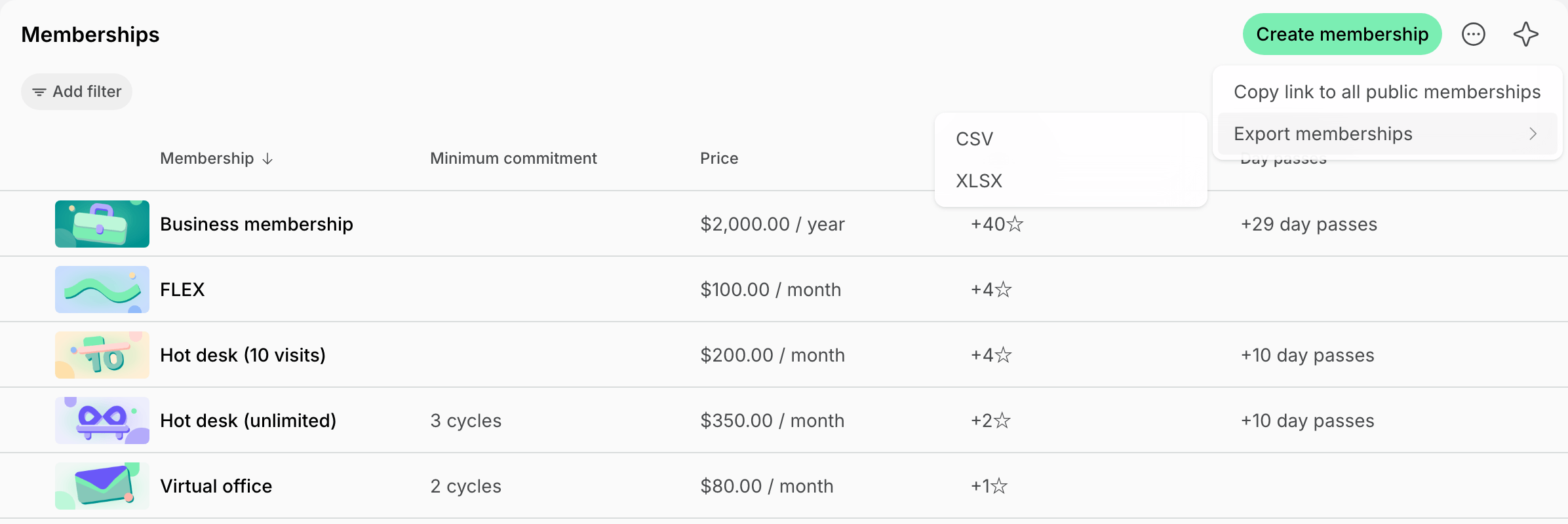
FAQs
Why don't customers see a specific membership or rental plan?
Why don't customers see a specific membership or rental plan?
- Membership plan — check that Sign-up is enabled in the plan’s settings. It’s the only setting that controls whether customers see a membership plan, as memberships have no Visibility setting.
- Rental plan — check that the Plans switch is on in the resource’s Pricing tab. Then check that the Visibility of the resource and of its page, such as Offices, lets the customer see them.
How to create a custom membership for one customer?
How to create a custom membership for one customer?
Start creating the subscription for your customer, keep Custom in the Product field, and manually type the membership name, price, and other allowances.
How can I copy the link to all public memberships?
How can I copy the link to all public memberships?
Go to Catalog > Memberships > press the menu (…) top right > Copy link to all public memberships. 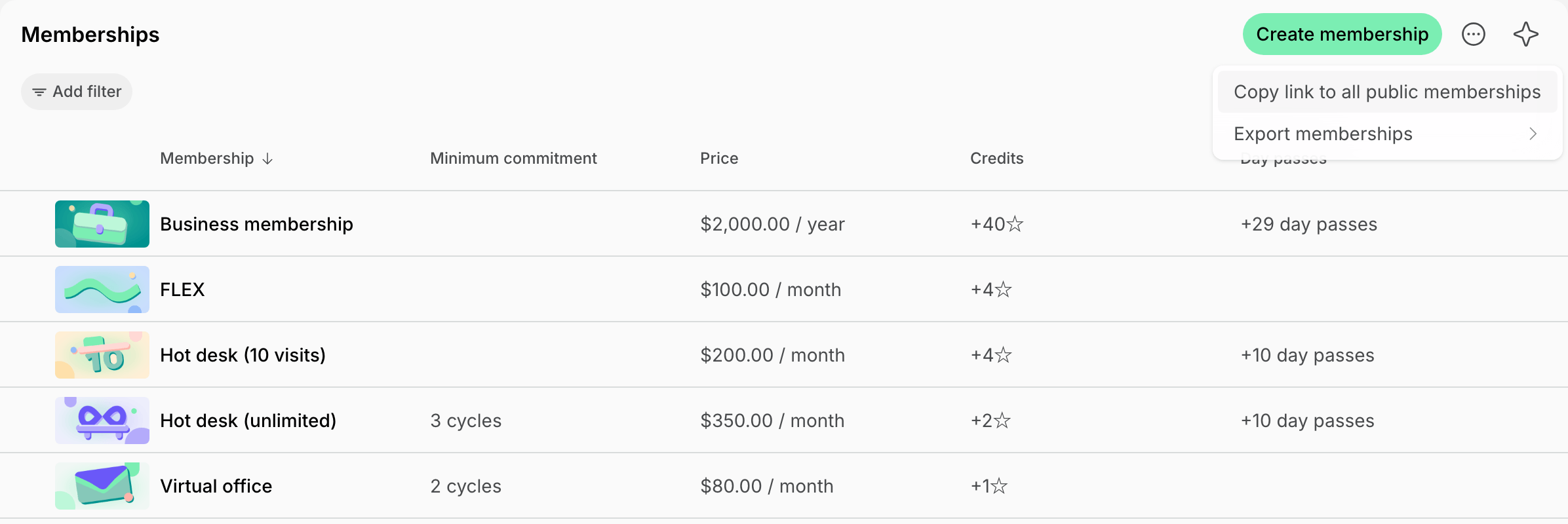
Can I offer discounts for memberships?
Can I offer discounts for memberships?
To offer targeted discounts on specific memberships/for selected customers, create coupons and promo codes of Subscription items type. Apply them directly when creating subscriptions for users and companies, or share the promo code with customers to redeem the discount on their own when they sign up.
How to offer a package of hours for booking rooms?
How to offer a package of hours for booking rooms?
It depends on whom you sell it to:
- If all customers, including nonmembers, should see and buy it, create a membership with credits and turn on Sign-up. Customers subscribe and receive a set number of expiring credits each cycle. The membership can also give them access to the space, discounts, and other perks.
- If only members should buy it, as a one-off purchase of credits with nothing else included, create a credit package. Members can buy it at any time, with or without a subscription.
Do changes to the membership affect existing members' subscriptions?
Do changes to the membership affect existing members' subscriptions?
Changes to the membership only apply to new future subscriptions and those exiting members that have Auto-update from membership enabled in their subscription.To apply membership changes to existing members, you have two options:
- Edit their subscriptions individually and apply changes manually, or
- Turn on Auto-update from membership in existing customers’ subscriptions > then make a change to the membership. This way, it will automatically apply to existing members, too.
How to raise the price for all customers who are subscribed to the membership?
How to raise the price for all customers who are subscribed to the membership?
Ensure the Auto-update from membership setting is enabled in all your customers’ active subscriptions who have that membership. Then, edit the membership’s plans as needed.
- Any changes made to pricing, credits, or day passes will apply automatically to their subscriptions with the start of the next billing cycle.
- Changes to discounts, door access, and exclusive access to resources and benefits apply immediately.
How are plans sorted for customers?
How are plans sorted for customers?
In the member web portal and mobile app, the location’s Plans page lists memberships first, then a row for each resource page with rental plans, such as Desks or Offices.Membership plans
- Memberships are sorted by name.
- Inside a membership, plans are sorted by cycle from 1 week to 1 year, then by price from lowest to highest, then by name.
- In each row, resources are sorted by name.
- Inside a resource, plans for the entire resource come first. Plans are then sorted by cycle from 1 week to 1 year, then by price from lowest to highest, then by name.
Can I change a plan's cycle?
Can I change a plan's cycle?
No. Add a plan with the new cycle to the membership and remove the old one. Subscriptions on the old plan keep their cycle.