

Offer a first-month discount to new members
A freelancer may like your space after a trial day, but hesitate to pay a full month at the regular price.- Go to Catalog > Discounts and create a coupon.
- In Redeemable for, select Subscription items.
- Enable Apply to specific items and select the memberships in the offer.
- Set the discount, such as 50%.
- Set Duration type to Once, so the discount applies to the first invoice only.
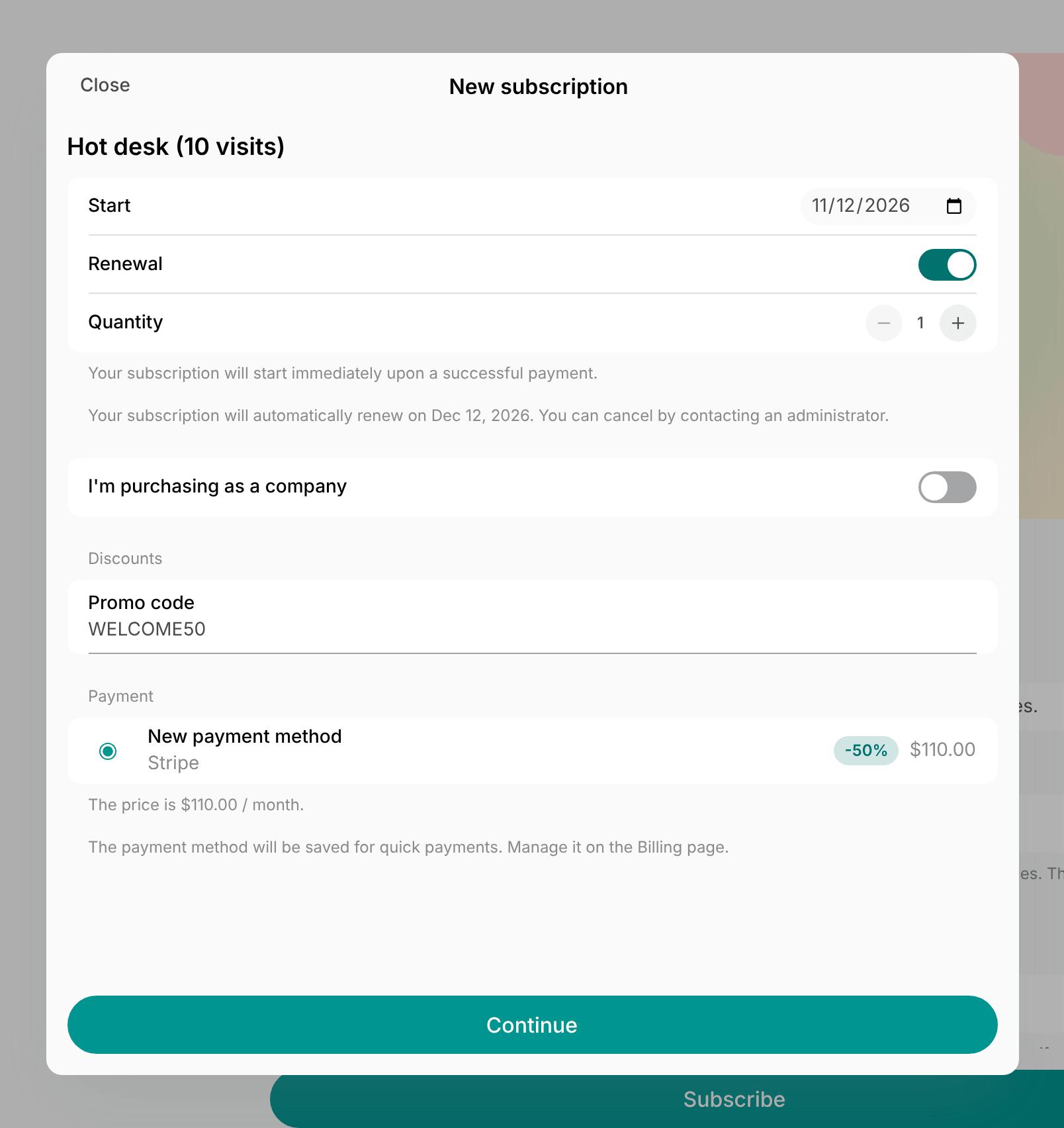
- Create a promo code for the coupon, such as WELCOME50, and enable Limited by first purchase, so only customers subscribing at this location for the first time can redeem it.
- Publish the code next to a link to your memberships on your website, in your newsletter, and in ads.
- Customers enter the code when they sign up in the member portal, and see the discounted first payment before they pay.
Offer a founding member rate
A new location may need its first members fast, and the people who join an empty space take a chance on it.- Go to Catalog > Discounts and create a coupon.
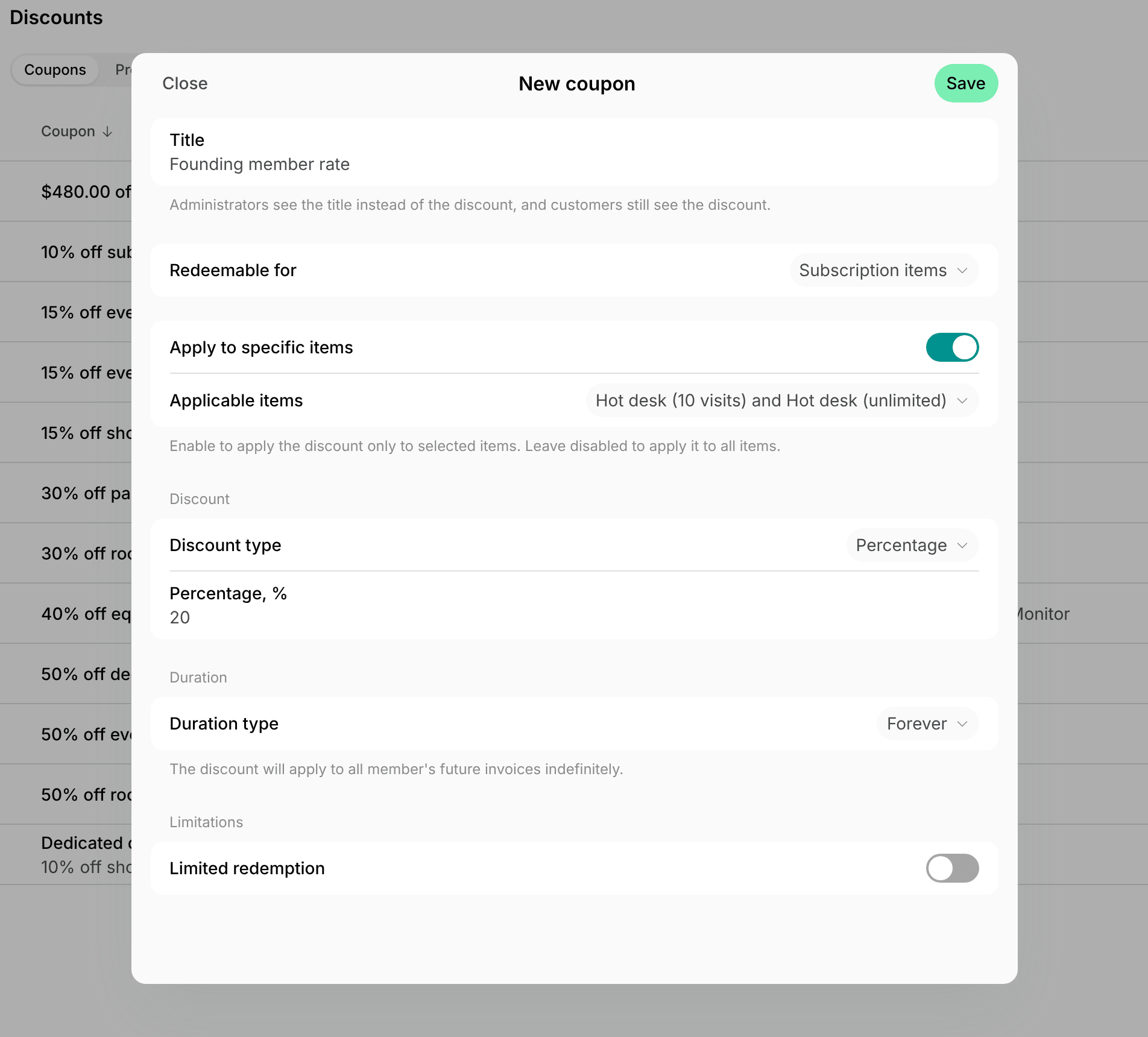
- Enter a Title, such as Founding member rate, so your team recognizes the coupon later.
- In Redeemable for, select Subscription items, enable Apply to specific items, and select the memberships.
- Set the discount, such as 20%.
- Set Duration type to Forever, so founding members keep the rate for as long as they stay subscribed.
- Create a promo code for the coupon, such as FOUNDER.
- Enable Limited redemption and set Maximum redemptions to the number of founding spots, such as 30.
- Enable Expiration and select your opening day.
- Send the code to your waiting list, and promote it in your soft opening campaign.
Give a discount for a long-term commitment
A company may be ready to commit to a membership or an office for a year instead of month to month, and ask for a better price for it.- Go to Catalog > Discounts and create a coupon.
- In Redeemable for, select Subscription items, enable Apply to specific items, and select the rental plan or membership.
- Set the discount, such as 10%.
- Set Duration type to Repeating and Duration in months to the length of the commitment, such as 12.
- Add the
{coupon}and{discountedTotal}placeholders to your contract template, so the contract shows the discount and the price after it. - Create a contract for the customer, and select the coupon in the Coupon field of the recurring item.
- Without a contract, apply the coupon to the customer’s subscription item.
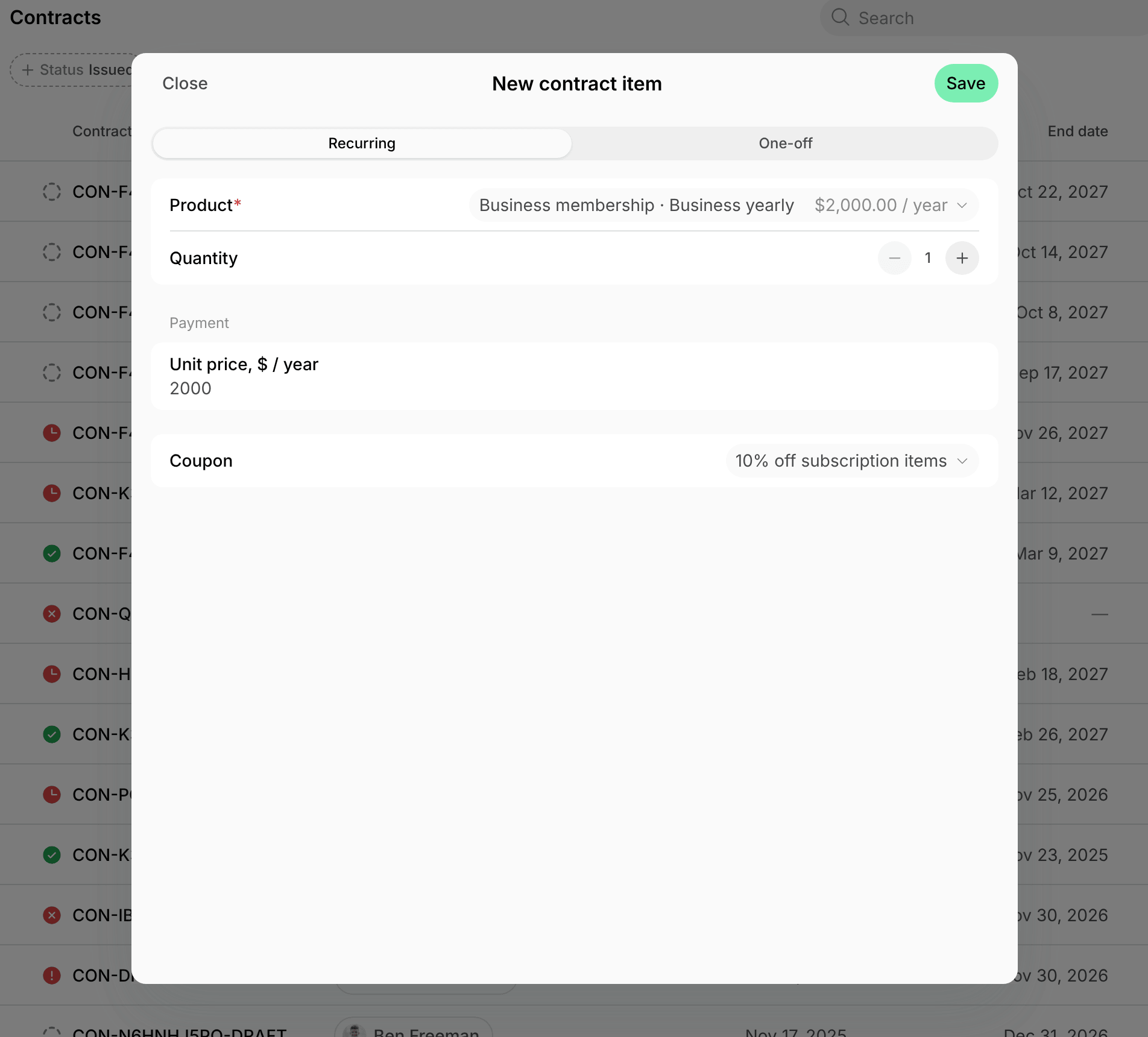
- Enable Create subscription from contract, so the subscription starts with the discount once everyone signs.
Give members and teams lower rates on bookings
A freelancer may compare your membership with paying for each booking, and a company moving its team in may ask for a better rate on meeting rooms.- Go to Catalog > Discounts and create a coupon.
- In Redeemable for, select the bookings or services, such as Meeting room bookings.
- Set the discount, such as 50%.
- Enable Applicable to credits if members also pay for bookings with credits.
- Grant the coupon, so the discount applies at checkout with no code to enter:
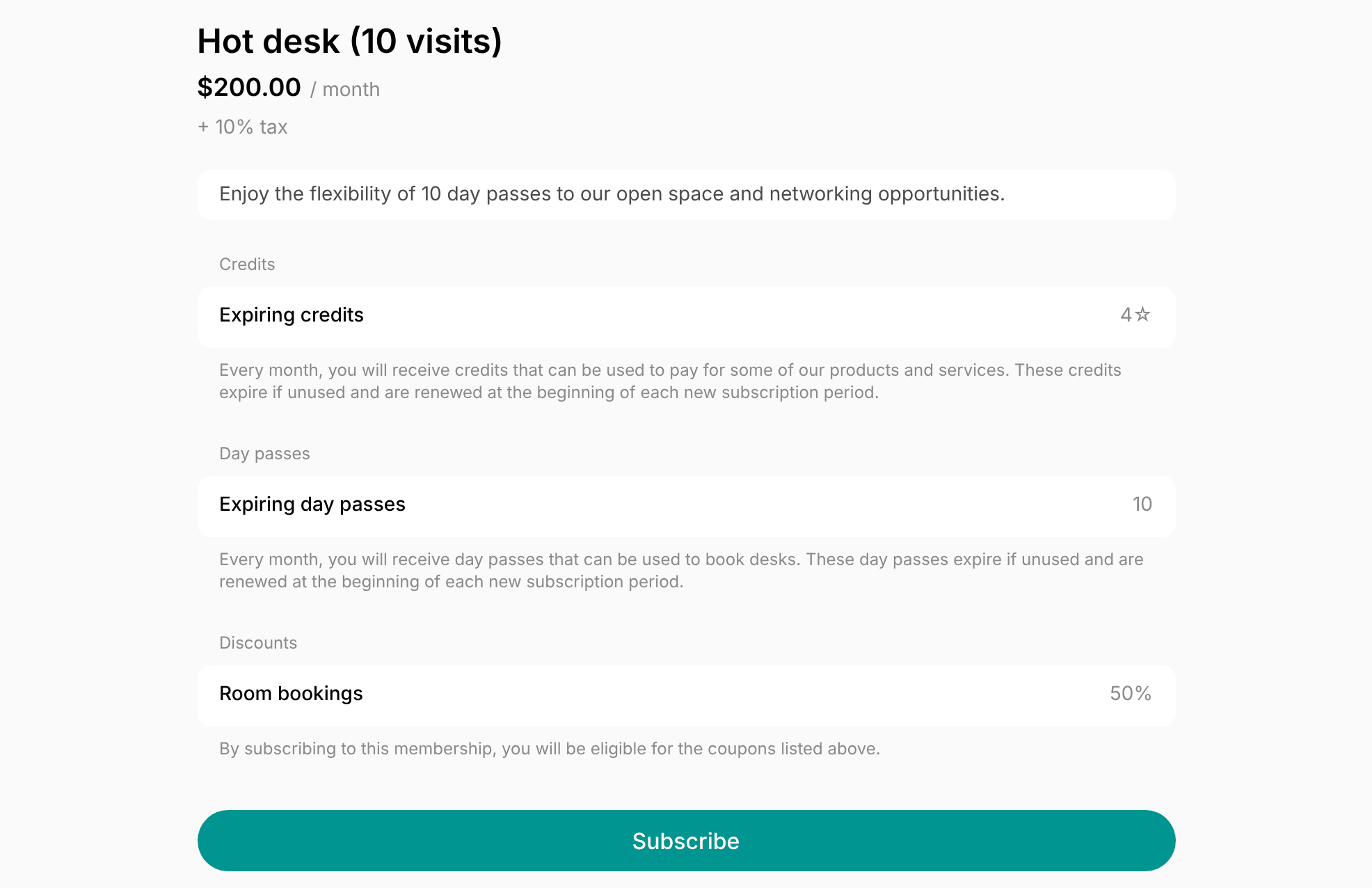
- For every member of a membership, add it to the membership’s Granted coupons. Customers also see the discount on the membership’s page in the member portal before they subscribe.
- For a company’s whole team, add it to the Granted coupons of the company’s subscription. Every member of the company gets it when they book.
Offer community rates to students, nonprofits, and partners
A university, a startup accelerator, or a nonprofit network may send its people to you if they get a better rate.- Go to Catalog > Discounts and create a coupon for the community rate.
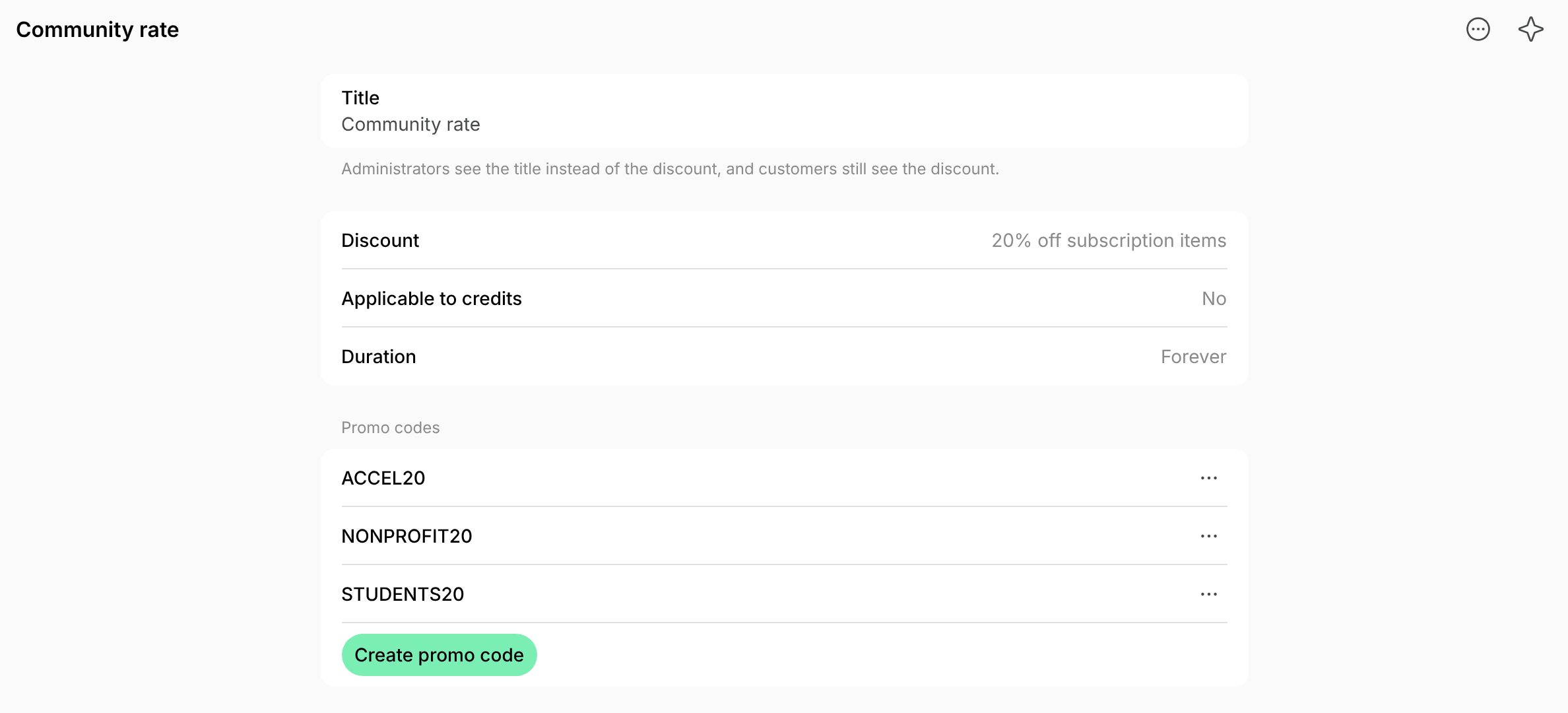
- Enter a Title, such as Community rate.
- In Redeemable for, select what the rate covers, such as Subscription items.
- Set the discount, such as 20%, and the Duration type, such as Forever.
- On the coupon’s page, create a promo code for each partner, such as STUDENTS20 for a university and ACCEL20 for an accelerator.
- Share each code with its partner only, to pass on to the people it represents.
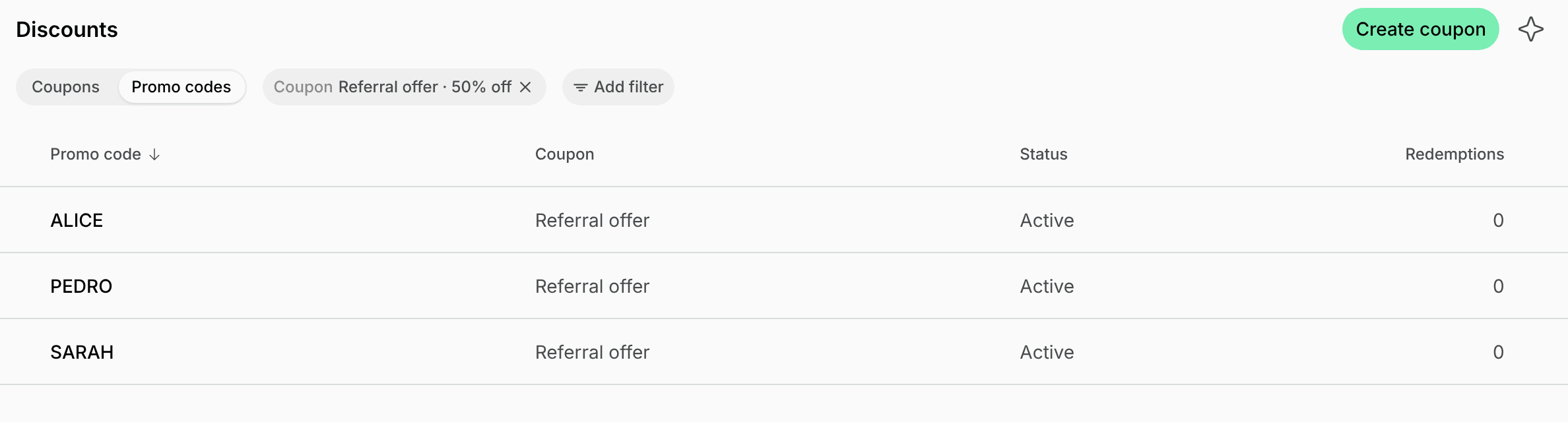
- To see how many customers each partner brings, filter the Promo codes tab by the coupon in Add filter > Coupon, and compare the Redemptions of the codes.
Run a referral program
Members may already recommend your space to friends, but nothing shows who brought whom, or thanks the member for it.- Go to Catalog > Discounts and create a coupon for the friend’s offer, such as 50% off their first month or a free day at a desk.
- For each member who wants to refer friends, create a promo code named after them, such as ALICE, and enable Limited by first purchase, so only new customers can redeem it.
- Send the member their code in a chat.
- To see how many friends each member brought, filter the Promo codes tab by the coupon in Add filter > Coupon. Open a code to see who redeemed it, what they bought, and when.
- Reward the member for each new customer, such as with credits, or a coupon on their subscription with Duration type set to Once, which discounts their next invoice.
- A subscription item takes one coupon, so the reward replaces any coupon the item already has.
Retain members who may leave
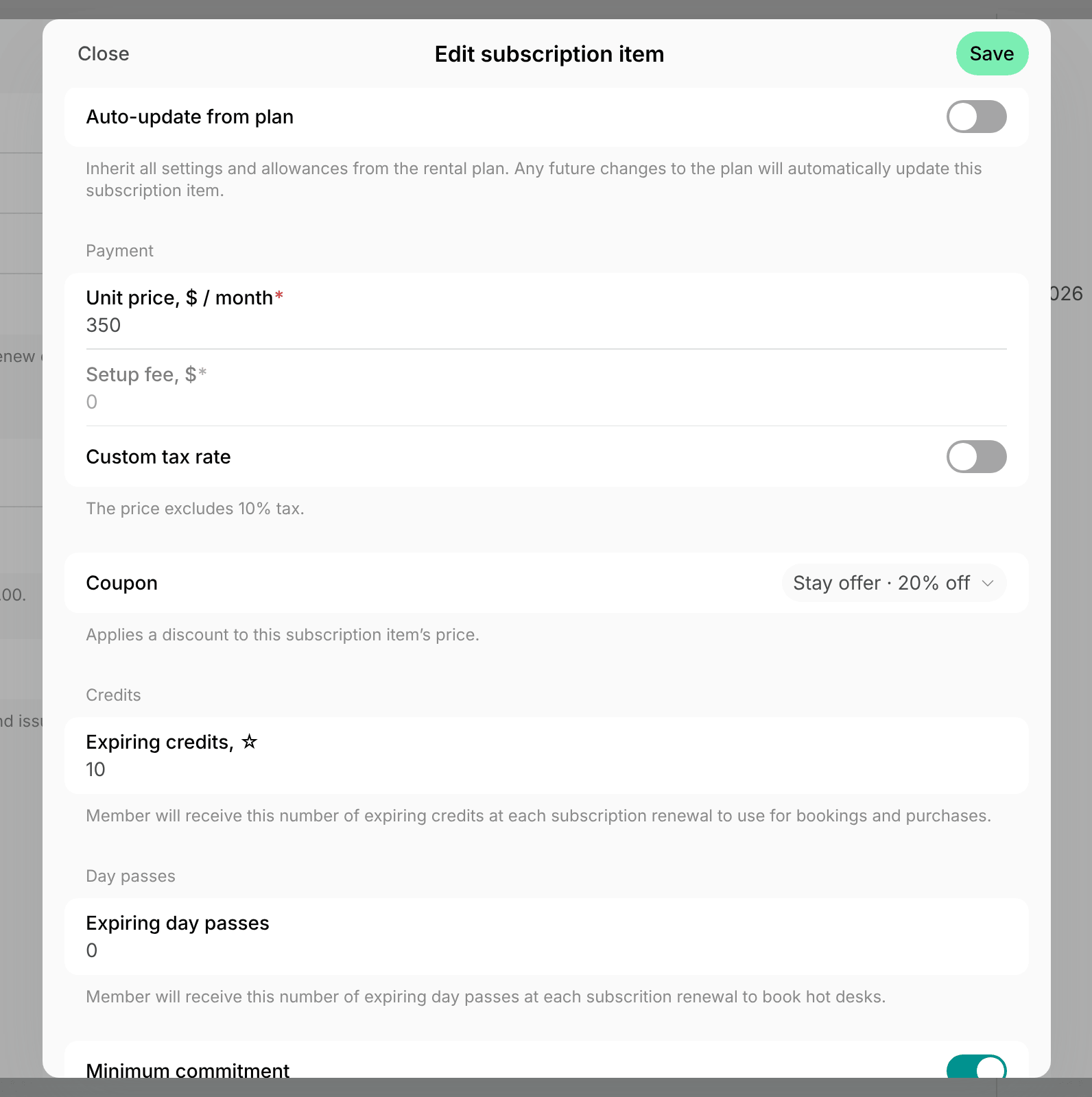
A member may ask to cancel because the price no longer fits their budget, or after a week of noisy construction next door.- Go to Catalog > Discounts and create a coupon redeemable for Subscription items, with a discount such as 20%.
- To bridge a tight period, set Duration type to Repeating and Duration in months, such as 3.
- To make up for a problem, set Duration type to Once, which discounts the next invoice only.
- Apply the coupon to the member’s subscription item. The discount starts with the next renewal.
- To win back a member who already left, create a promo code for the coupon and send it to them instead. They redeem it when they sign up again.
- Leave Limited by first purchase off, since they have subscribed before.
Run a limited-time offer
Your space may be quiet in summer, or a new meeting room may sit empty in its first weeks.- Go to Catalog > Discounts and create a coupon for what you want to promote.
- In Redeemable for, select its type, such as Room bookings.
- Enable Apply to specific items and select the room.
- Set the discount, such as 30%.
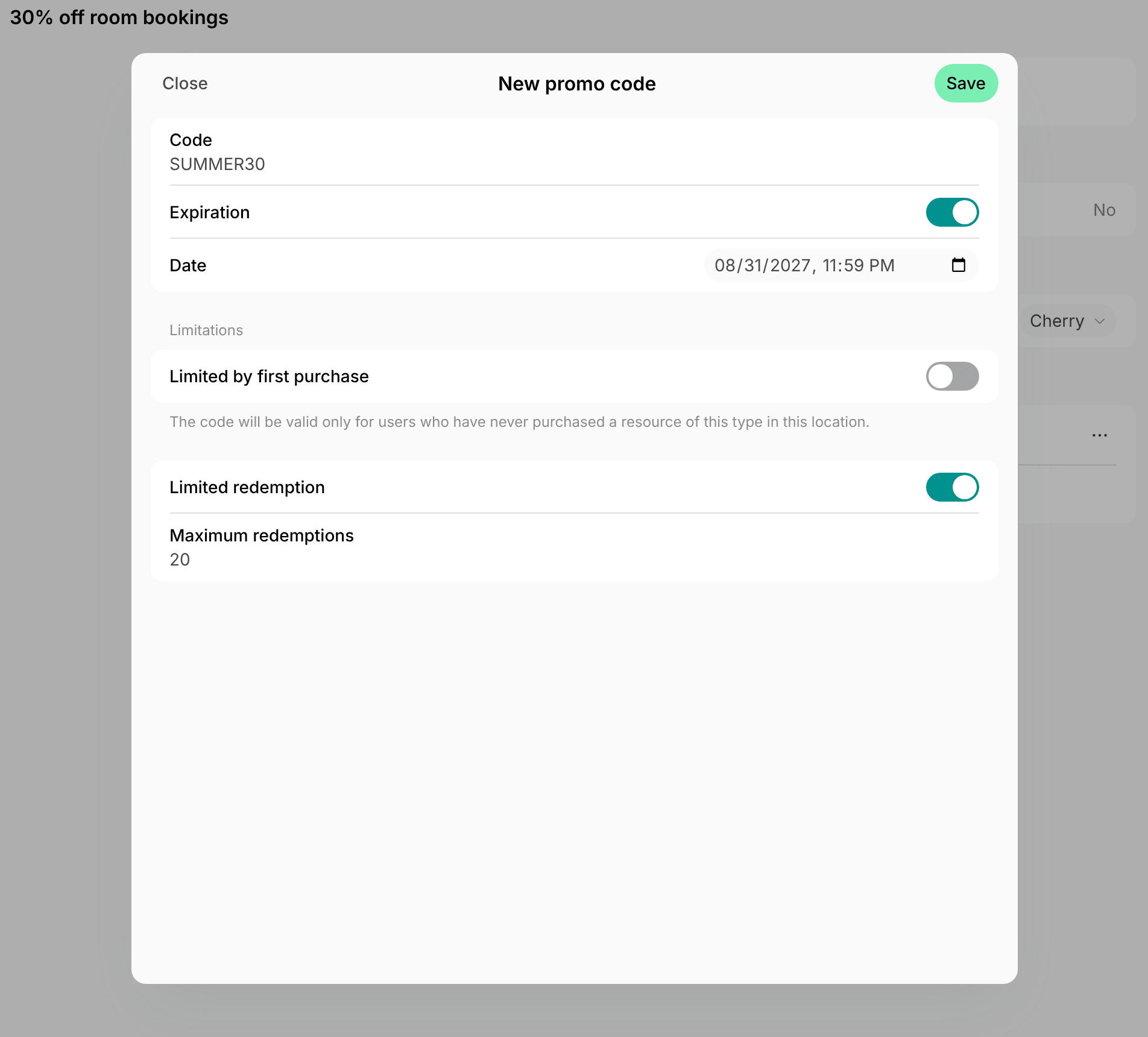
- Create a promo code for the coupon, such as SUMMER30.
- Enable Expiration and select the last day of the offer.
- Enable Limited redemption and set Maximum redemptions, such as 20, so the offer stays exclusive and its cost stays capped.
- Announce the code in a feed post, your newsletter, and social media, next to a link to the room.
Best practices
- Give each coupon a Title, such as Referral reward, so your team picks the right one when applying it.
- Keep codes short and easy to say, such as SUMMER30. Customers can type them in any letter case.
- Limit every code you publish with Expiration or Limited redemption, so it stops working when the offer ends, even if it spreads further than you planned.
- Check what each offer brings in the Redemptions of its coupon or promo code.
FAQs
Can I use one promo code in all my locations?
Can I use one promo code in all my locations?
No. Coupons and promo codes belong to one location. Create the coupon in each location, and a promo code with the same code for each of them.
Can customers redeem a promo code for a membership that needs approval?
Can customers redeem a promo code for a membership that needs approval?
No. A membership with the Request sign-up type has no promo code field. After you approve the request, apply the coupon to the customer’s new subscription.
Can a customer who used a trial day code also get a first-month discount?
Can a customer who used a trial day code also get a first-month discount?
Yes. Limited by first purchase checks each product type on its own, so a first desk booking doesn’t stop a customer from redeeming a first-month code for a membership.
Can I limit a promo code to one use per customer?
Can I limit a promo code to one use per customer?
No. Limited redemption limits the uses across all customers. For a personal code, set Maximum redemptions to 1 and share the code with that customer only. To let each new customer use a code once, enable Limited by first purchase.